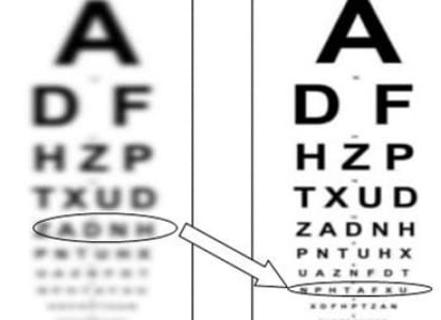
With the wide spread of computers that is observed in modern life, more and more people using monitors at work come to doctors complaining of eyestrain and fatigue, blurring the image, headache and other symptoms that make up computer vision syndrome (CLC). The appearance of these symptoms is due to a specific visual load when working at a computer, and in many cases it is possible to detect the presence of uncorrected visual defects in such patients.
Symptoms of Computer Visual Syndrome (GLC)
- Eyestrain
- Visual fatigue
- Headache
- Blur image (nearby objects)
- Image doubling (Diplopia)
- Dry eyes and irritation
- Neck and / or back pain
What visual impairments can lead to symptoms of GLC?
The presence of even minor vision problems can greatly affect the comfort of working with the monitor. Symptoms of GLC may be associated with various disturbances in accommodation (lack of accommodation) or impairment of binocular vision (phoria, strabismus). These symptoms can also be caused by uncorrected (or incorrectly corrected) presbyopia, uncorrected astigmatism, and hyperopia.

How should the workplace be organized?
The presence of even minor vision problems can greatly affect the comfort of working with the monitor. Symptoms of GLC may be associated with various disturbances in accommodation (lack of accommodation) or impairment of binocular vision (phoria, strabismus). These symptoms can also be caused by uncorrected (or incorrectly corrected) presbyopia, uncorrected astigmatism, and hyperopia.
How should the workplace be organized?
The presence of even minor vision problems can greatly affect the comfort of working with the monitor. Symptoms of GLC may be associated with various disturbances in accommodation (lack of accommodation) or impairment of binocular vision (phoria, strabismus). These symptoms can also be caused by uncorrected (or incorrectly corrected) presbyopia, uncorrected astigmatism, and hyperopia.
Why do I need computer glasses?
Studies show that many patients complaining of symptoms of GLC had uncorrected visual defects. Long work with a computer monitor imposes such loads on the eyesight that all its shortcomings are revealed, which usually go unnoticed. Therefore, glasses that correct existing visual defects will help get rid of the symptoms of GLC (although these glasses cannot be considered "computer").
In case of symptoms of GLC in patients with presbyopia, it should be borne in mind that most glasses used to correct presbyopia do not provide comfortable visual work at the computer. Reading glasses are used only for close visual work (at a distance of about 30 cm.). Bifocal lenses have two optical zones: for distance vision and for near vision. Therefore, the distance at which the monitor is usually located (about 50-70cm.), Is outside the working areas of these glasses. In progressive universal glasses, you have to look at the monitor screen through a narrow progression corridor - this also creates an additional load on vision. Thus, in the case of presbyopia, patients usually require special computer glasses.
However, even fairly young ametropes (before the development of presbyopia) may already have difficulty focusing during prolonged work at the computer due to a temporary weakening of accommodation. Some companies offer single-focal lenses specifically for these cases, in which the optical power in the lower part is slightly higher than in the upper part (approximately +0.5 ... + 1.0 D). Such an additive helps to unload the accommodation during long-term work behind the monitor and helps get rid of the symptoms of GLC. It is possible that for some young ametropes for working on a computer, ordinary single-focal glasses, specially written for a working distance of 50-70 cm, are better suited.
Frequently Asked Questions
What is computer visual syndrome?
Computer visual syndrome, also known as computer vision syndrome, refers to a collection of symptoms such as eyestrain, visual fatigue, headaches, and blurred vision that occur from prolonged computer use.
What are the common symptoms of computer visual syndrome?
Common symptoms include eyestrain, visual fatigue, headaches, blurred vision, image doubling, dry eyes, irritation, and neck or back pain.
What visual problems can worsen computer visual syndrome?
Minor vision problems like uncorrected presbyopia, astigmatism, and hyperopia can contribute to symptoms of computer visual syndrome. Impairments in accommodation and binocular vision can also play a role.
How can I organize my workplace to reduce symptoms?
To reduce symptoms, ensure your monitor is positioned at an appropriate distance (50-70 cm) and at eye level. Proper lighting and frequent breaks can also help alleviate discomfort.
Why might I need computer glasses?
Computer glasses are designed to correct unaddressed visual defects that can become apparent during prolonged computer use. They can help improve comfort and reduce symptoms associated with computer visual syndrome.
Can regular reading glasses be used for computer work?
Most standard reading glasses are not suitable for computer work because they are optimized for close distances, typically around 30 cm, while computer screens are usually further away.
What type of lenses should I consider for computer use?
Consider single-focal lenses that are tailored for the working distance of 50-70 cm. These lenses often have a slightly higher optical power at the bottom to help with accommodation during long periods of computer use.

Expert's Opinion
Studies show that many patients complaining of symptoms of GLC had uncorrected visual defects. Long work with a computer monitor imposes such loads on the eyesight that all its shortcomings are revealed, which usually go unnoticed. Therefore, glasses that correct existing visual defects will help get rid of the symptoms of GLC (although these glasses cannot be considered "computer"). In case of symptoms of GLC in patients with presbyopia, it should be borne in mind that most glasses used to correct presbyopia do not provide comfortable visual work at the computer. Reading glasses are used only for close visual work (at a distance of about 30 cm.). Bifocal lenses have two optical zones: for distance vision and for near vision. Therefore, the distance at which the monitor is usually located (about 50-70cm.), Is outside the working areas of these glasses. In progressive universal glasses, you have to look at the monitor screen through a narrow progression corridor - this also creates an additional load on vision. Thus, in the case of presbyopia, patients usually require special computer glasses.